
The idea
Plug a guitar into an audio interface, open a web page, and play through amps, pedals and effects in real time, with no install and no plugin host. Ampyre is built on the Web Audio API, with the heavier signal processing running in AudioWorklets so it stays off the main thread and the audio doesn't glitch when the UI is busy.
The signal flows the same way it would through a real rig: input gain, the pedalboard, the amp, a cabinet, then an effects loop and a safety limiter on the way out.
Designed like real gear
I wanted the interface to feel like equipment rather than a web dashboard, so every part of the rig is drawn as the hardware it stands for. The amp is a head with black tolex, a brushed-metal faceplate and a red pilot light that glows while audio is running, sitting on a cabinet's grille cloth. Each pedal has its own enclosure paint, silkscreened name, knob style, LED and stomp switch. The practice tools are rack units with amber LCD screens. Knobs work the way you'd expect: drag, scroll or use the arrow keys, and hover to see the exact value.
Amp and cabinet
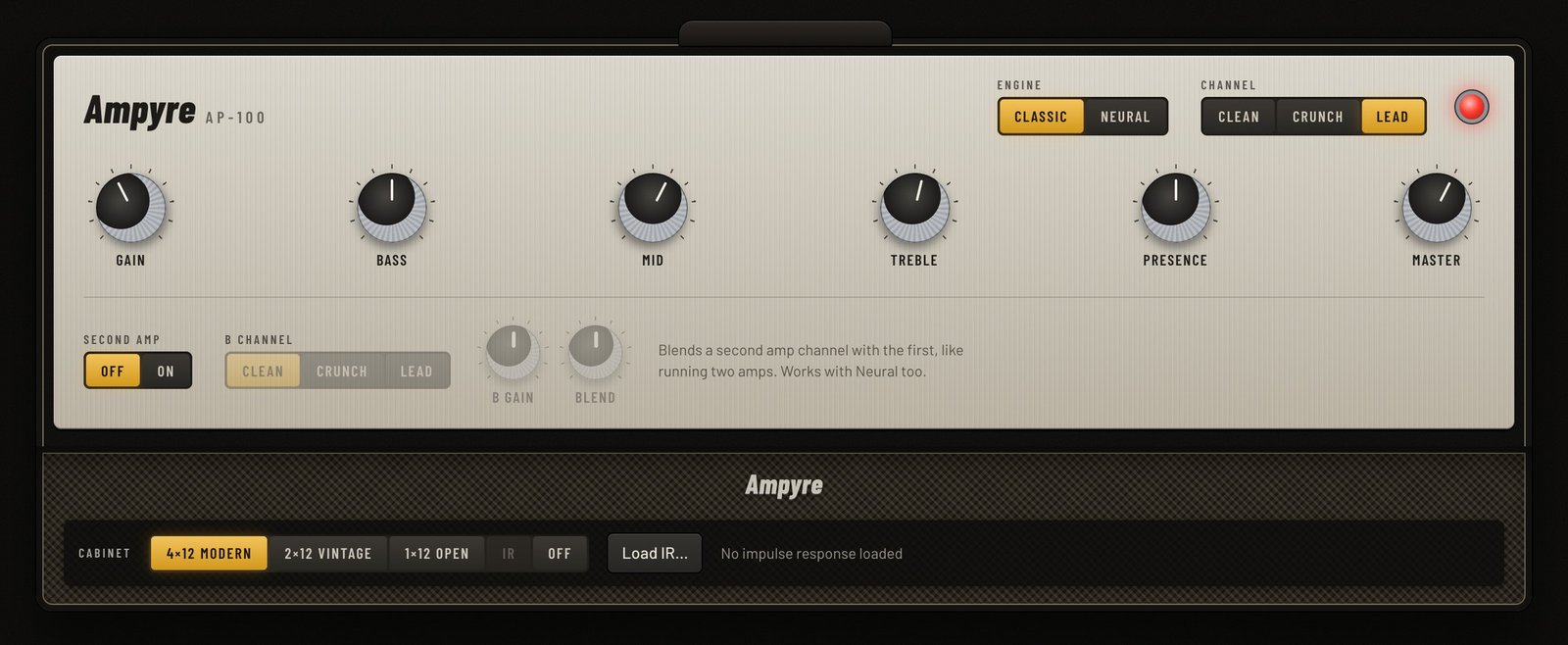
The AP-100 has two engines. Classic is a hand-built amp model with Clean, Crunch and Lead channels and a gain, bass, mid, treble, presence and master stack.
Neural loads Neural Amp Modeler .nam captures, which are neural networks trained to reproduce a specific real amp or pedal. Thousands of captures are freely available. I wrote the inference engine for both the WaveNet and LSTM architectures in JavaScript, running inside an AudioWorklet, and checked its output sample by sample against the official NAM implementation. Optimizing the convolution loops brought a full-size capture down to roughly a quarter of one CPU core.
A second amp can run alongside the first, on any channel and with either engine, and the two are blended, like running two amps at once on stage.
After the amp comes the cabinet: three built-in cab simulations, or any impulse response .wav you load.
The pedalboard
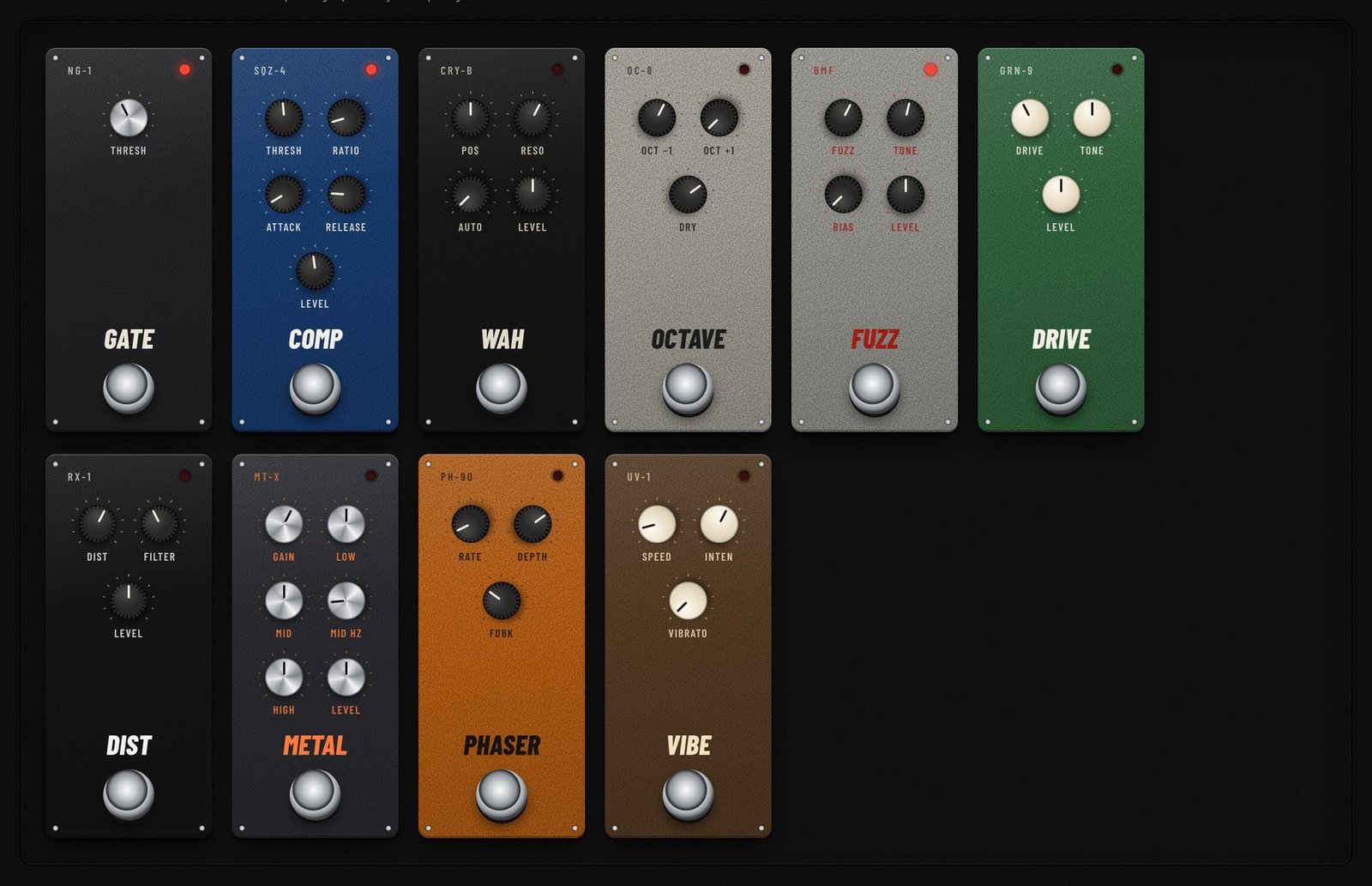
Ten pedals sit in front of the amp: noise gate, compressor, wah (with an auto-wah mode that follows your picking), octave up and down, fuzz, overdrive, distortion, metal, phaser and vibe. Click a footswitch to turn a pedal on, and its LED lights up. Drag a pedal by its top edge to move it, just like rearranging a real board, and the audio chain rewires to match.
The effects loop
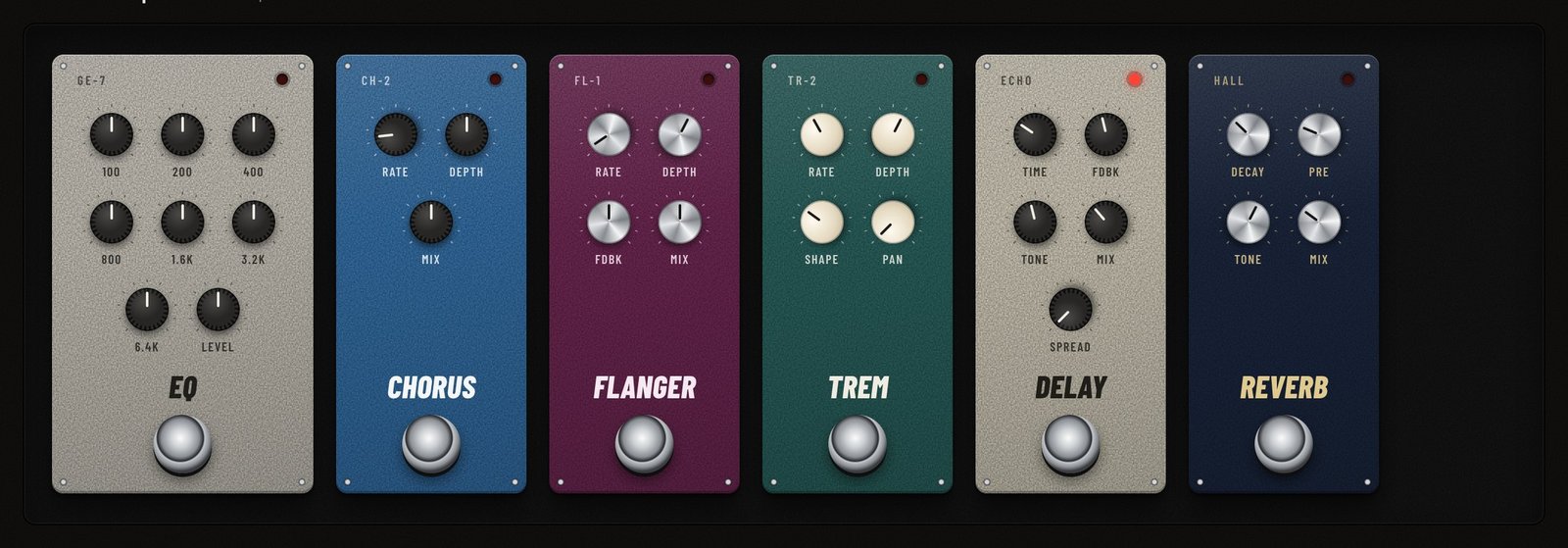
Time-based effects sound best after the amp, so the EQ, chorus, flanger, tremolo, delay and reverb sit in an effects loop that runs in stereo. The chorus and flanger spread across both channels, the tremolo can auto-pan, and the delay has a spread control that turns it into a ping-pong delay. The delay can also lock to the drum machine's tempo.
Practice rack
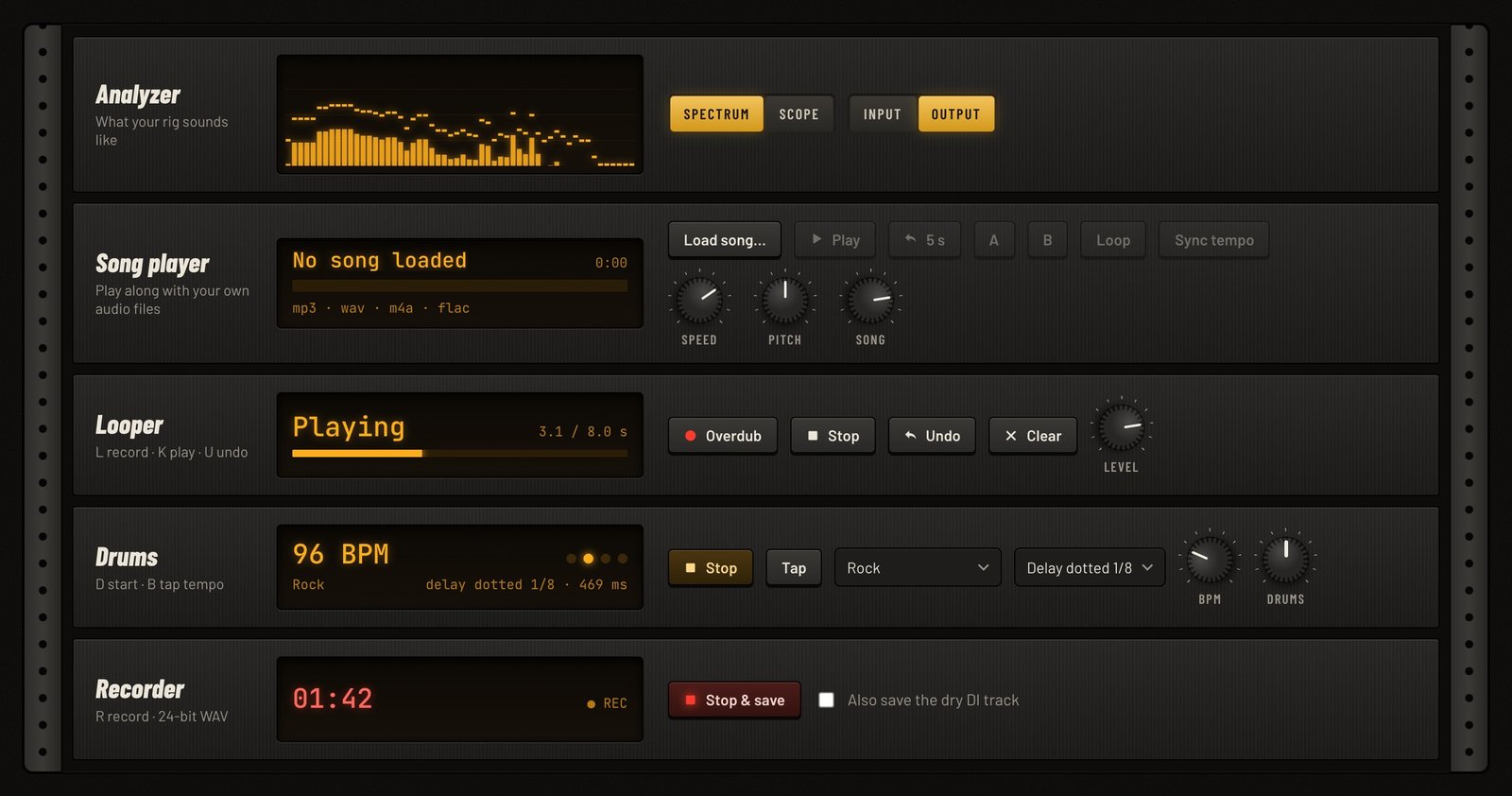
- An analyzer that shows a live spectrum or oscilloscope of the input or output
- A song player for playing along with your own audio files: slow a song down without changing its pitch, shift the pitch to match other tunings, loop a section between two points, and sync the drums and delay to the song's detected tempo
- A looper with overdub and undo, showing its state and loop position on its screen
- A drum machine and metronome with seven grooves (rock, double-kick metal, half-time, punk, funk, blues shuffle and a plain click), tap tempo, and delay sync to quarter, dotted-eighth, eighth or triplet notes
- A 24-bit WAV recorder, with an option to also save the dry guitar signal so a take can be re-amped later
- A tuner with an LED strip that turns green when you're in tune
Built for playing live
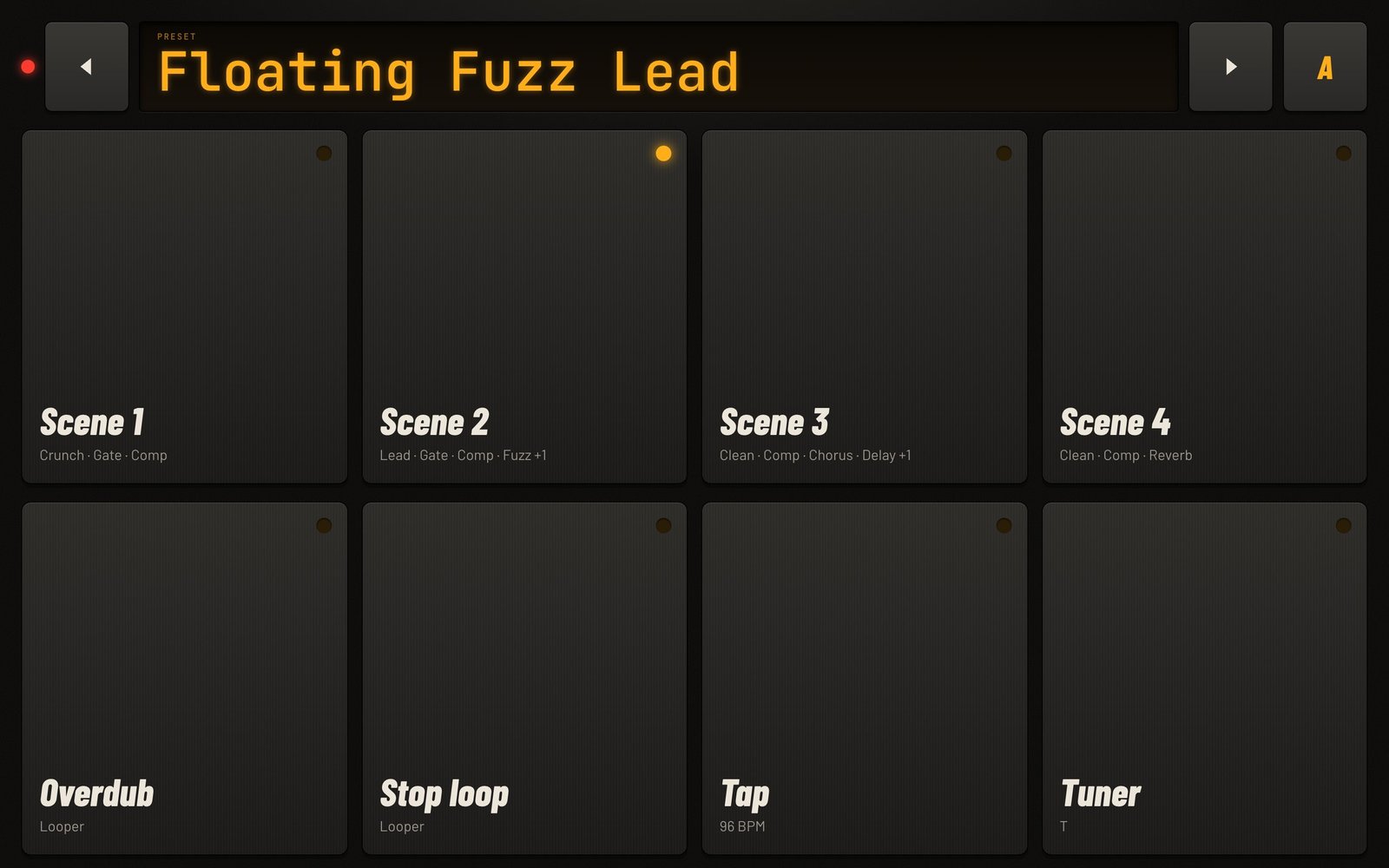
Presets cover clean, crunch, blues, metal, ambient and genre-style tones, and you can save your own. The preset display at the top works like an LCD with previous and next buttons.
- Scenes: four switches that each recall a set of pedals and an amp channel, so one press takes you from a verse rhythm sound to a lead
- A/B snapshots: keep two versions of a sound and flip between them to compare
- Share a rig as a link: the whole setup is packed into a URL that anyone can open
- Stage mode: a full-screen view with the preset name in large type and giant switches for scenes, the looper, tap tempo and the tuner, readable from a few feet away
MIDI
Footswitches and expression pedals can be mapped to any knob, pedal or button using MIDI learn, and Program Change messages select presets, so the whole rig can be played hands-free. An expression pedal mapped to the wah's position knob gives you a real wah.